

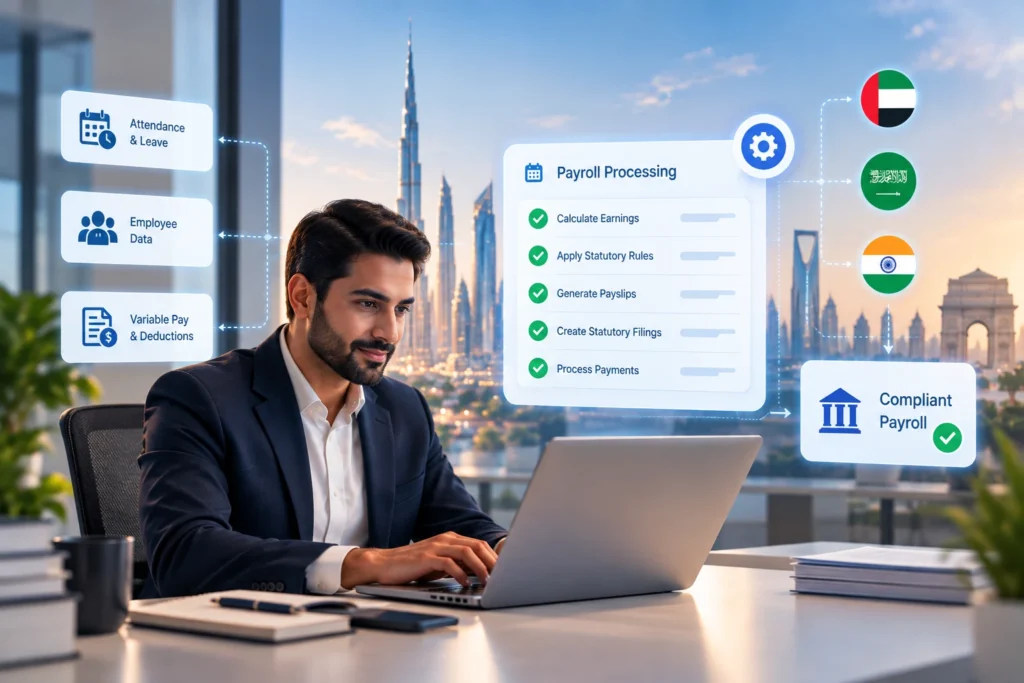
Payroll errors have direct consequences: an underpaid employee in the UAE triggers a WPS compliance issue; an incorrect GOSI deduction in Saudi Arabia creates a reconciliation problem at month end; a missed PF contribution in India accumulates interest and penalty exposure. These errors do not happen because HR teams are careless. They happen because manual payroll processes carry structural risk at every data-entry point. Payroll automation removes those data-entry points by connecting source data directly to payroll calculations, without manual re-entry in between.
Where Payroll Errors Actually Come From
Most payroll processing errors in mid-sized companies trace back to one of four sources. Understanding these sources is necessary before evaluating whether automation addresses them or simply relocates the problem.
- Manual data transfer: attendance data captured in one system (a biometric device or a manual timesheet) is re-entered into the payroll system by hand. Each transfer is a point where numbers can change.
- Formula drift: payroll spreadsheets accumulate formula changes over time, often made by different team members, without version control. A corrected formula in one tab may not propagate to other tabs that depend on it.
- Statutory rate lag: the payroll calculation uses an outdated statutory rate because the update was not applied in time. The numbers look correct internally but do not match current regulatory requirements.
- Late input: variable pay data (commissions, overtime, bonuses) arrives after payroll is processed. Retroactive corrections are then applied the following month, creating a pattern of payroll adjustments that HR cannot close out cleanly.
None of these four sources require negligence to produce errors. They are structural features of manual payroll workflows, and they persist regardless of how experienced or careful the payroll team is.
What Payroll Automation Changes in the Processing Workflow
An automated payroll system does not simply calculate faster. It changes the architecture of how data flows into a payroll run.
Attendance and leave integration
Biometric or digital time-tracking data flows directly into the payroll engine without re-entry. Leave balances are maintained in the same system that calculates leave encashment and loss-of-pay deductions. The manual transfer step is removed, and with it the primary error source in variable-pay components.
Locked calculation rules
Payroll calculations in an automated system are defined once, reviewed, and locked. Overtime calculation rules, end-of-service gratuity formulas, and allowance structures are not spreadsheet formulas that can be accidentally overwritten. Changes to calculation rules require a deliberate configuration update, which is logged.
Live statutory rate library
Instead of storing rates in cells, the system maintains a rate library per jurisdiction. GOSI contribution rates, UAE end-of-service accrual rules, India EPF and ESI thresholds are held as parameters. When a rate changes, the parameter is updated once and the change propagates to all payroll runs. This is payroll automation addressing the statutory rate lag problem directly.
Input deadline management
Variable pay data (commissions, bonuses, overtime) is submitted through workflows with defined cut-off dates. Late inputs are flagged rather than silently absorbed into the next cycle. HR managers can see, before the payroll run closes, which variable pay elements are still outstanding.
📌 The error reduction mechanism: payroll automation reduces errors primarily by removing manual data-entry steps, not by adding checks to a manual process. Auditing a manual process can catch some errors after they occur. Automation prevents the error category from occurring in the first place.
Processing More Payroll Without Adding Headcount
The headcount question in the blog title is not rhetorical. HR leaders face it directly when the organisation grows. A company adding 100 employees does not want to add a proportional number of payroll staff. Payroll software for HR teams addresses this by increasing the volume that a fixed team can process accurately.
- Batch processing: payroll for multiple departments, cost centres, or legal entities runs in a single batch. The team does not need to process each group separately and reconcile across them manually.
- Self-service inputs: employees submit their own leave requests, expense claims, and bank account changes through a self-service portal. The HR team reviews and approves rather than entering. The data entry load is distributed across the workforce rather than concentrated in the payroll team.
- Automated payslip distribution: once payroll is approved, payslips are generated and distributed to employees through the system. No HR team member manually creates or emails individual payslips.
- Statutory filing outputs: salary bank files, GOSI contribution reports, EPF Electronic Challan cum Return files, and WPS files are generated directly from the payroll run. The formatting and export step is automated.
The combined effect is that a team of the same size can handle a larger payroll, with fewer errors and shorter processing cycles, because the manual steps that consumed time and introduced risk have been replaced by system workflows.
How HROPAL's Payroll Automation Works in Practice
HROPAL's payroll automation runs across its Core HROPAL payroll module and Workforce Admin modules. The design reflects the multi-country, multi-entity reality of its customer base across MENA and India.
Integrated time and attendance
Attendance data from HROPAL's time and attendance module feeds directly into the payroll engine. Leave balances, shift patterns, and overtime hours are calculated within the same platform, eliminating the export-import cycle that is the most common source of attendance-payroll discrepancies.
Multi-country statutory compliance built in
HROPAL maintains statutory libraries for UAE, Saudi Arabia, Qatar, Bahrain, Kuwait, Oman, and India. Each library holds the current rates, thresholds, and calculation rules for payroll, end-of-service, and statutory deductions. When running a multi-country payroll, each entity's payroll applies its own country's rules from the same platform.
WPS bank file generation for UAE
For UAE employers, HROPAL generates the WPS-compliant salary bank file directly from the payroll run in the current MOHRE-approved format. Employers avoid the manual step of exporting payroll data and formatting it separately for WPS submission.
Full and Final Settlement automation
Full and Final Settlement calculations for departing employees draw directly from the employee's service record, leave balance, and the applicable statutory gratuity formula. The calculation is generated by the system rather than manually assembled from multiple data sources.
📌 Loan and salary advance tracking: HROPAL tracks employee loans and salary advances within the payroll module. Repayment deductions are applied automatically in each payroll cycle based on the approved repayment schedule, without manual entry each month.
Evaluating Payroll Automation: What to Look for Before You Commit
Not all automated payroll systems address the same error categories. An HR leader evaluating payroll automation should ask specific questions about how each platform handles the four error sources identified earlier.
- Does attendance data feed directly into payroll, or is an export-import step still required? If an export step exists, manual re-entry risk persists.
- Are payroll calculation rules locked and audit-logged, or are they accessible spreadsheet-style formulas? An accessible formula is a changeable formula.
- Does the system maintain a statutory rate library per country, or does it require manual rate updates? Manual rate updates reintroduce the statutory rate lag problem.
- What is the mechanism for variable pay inputs? Is there a workflow with defined cut-off dates and visibility into outstanding items?
- Does the system generate statutory output files (WPS, GOSI, EPF ECR) directly, or does payroll data need to be reformatted externally?
These questions move the evaluation from feature comparisons to process architecture comparisons. Payroll software for HR teams that answers yes to all five removes the structural error sources rather than patching them with additional checks.
Frequently Asked Questions About Payroll Automation
Q) What is payroll automation and how does it reduce errors?
Payroll automation replaces manual data-entry steps in the payroll process with system-driven data flows. Attendance data moves directly to payroll calculations, statutory rates are held as parameters rather than spreadsheet values, and variable pay is collected through workflows with cut-off controls. The error reduction comes from removing the manual transfer steps where data is most likely to change or be entered incorrectly.
Q) What are the most common payroll processing errors in mid-sized companies?
The most frequent payroll processing errors are: incorrect attendance data transferred from the time-tracking system, outdated statutory rates applied in payroll calculations, formula errors in spreadsheet-based payroll systems, and variable pay components (commissions, overtime, bonuses) processed in the wrong period due to late submission.
Q) Can an automated payroll system handle multi-country payroll?
Yes, when it is designed for multi-country operation. An automated payroll system with country-specific statutory libraries can run UAE, Saudi Arabia, Qatar, and India payrolls in a single platform, each entity applying its own statutory rules. The key requirement is that the statutory library is maintained separately per country, not as a single shared rate table.
Q) Does payroll automation require adding IT headcount?
Cloud-based payroll automation platforms typically do not require dedicated IT headcount to operate. Configuration, rate updates, and payroll run management are handled by the HR and finance team through an administrative interface. Implementation may require IT involvement for integrations with existing HRMS or ERP systems, but day-to-day operation is designed to be HR-managed.
Q) How does payroll automation handle salary advances and loans?
In platforms that include loan and advance management (such as HROPAL), the approved advance amount and repayment schedule are entered once. The payroll software for HR teams then applies the repayment deduction automatically in each eligible payroll cycle. HR does not need to manually enter the deduction each month, and the outstanding balance is tracked in the system.
Q) What is the difference between payroll automation and a basic payroll calculator?
A basic payroll calculator computes gross-to-net pay from manually entered inputs. Payroll automation connects source data (attendance, leave, variable pay) directly to the calculation engine, maintains a live statutory rate library, generates statutory output files, and logs every payroll run with an audit trail. The distinction is not in the calculation capability but in how data reaches the calculation and what happens with the output.